AI-assisted research, source-checked and reviewed by a human editor. How we work
AI Builder credits — quick answer: If your Power Automate flows use AI Builder features, such as AI prompts or document extraction, check the terms and timing of their existing entitlements before November 2026. Microsoft’s AI Builder transition guidance states that from November 1, 2026, new or renewed eligible Power Platform and Dynamics 365 licenses no longer include seeded AI Builder credits. Some preexisting entitlements may be protected under contracts that started before November 1, 2025; otherwise, seeded credits generally end on November 1, 2026. Administrators should verify their specific agreement. New customers who need paid AI Builder capacity must use Copilot Credits to run AI Builder features. Flows that run out of credits can fail with an error. Ask your administrator to review the AI Builder Activity page, identify which flows use AI actions, and confirm a funding plan before the change. Details were checked against Microsoft Learn on October 28, 2026.
AI Builder credits: what is changing in November 2026
According to Microsoft’s AI Builder licensing documentation:
- In Power Apps and Power Automate, AI Builder features consume either AI Builder credits or Copilot Credits.
- From November 1, 2026, new or renewed eligible Power Platform and Dynamics 365 licenses no longer include seeded AI Builder credits; certain earlier contractual entitlements may remain available through their agreed term.
- New customers must purchase Copilot Credits to run AI Builder features.
- Building and testing custom models and prompts does not require either type of credit.
Microsoft’s Copilot Credits management page adds that classic flows try to use AI Builder credits first, then Copilot Credits. When a classic flow is turned into an agent flow, its AI prompts and models can only use Copilot Credits.
Who is affected
| Situation | Likely impact |
|---|---|
| Flows use AI prompts, “create text” actions, or document extraction | These consume credits and need a funding source after seeded credits end |
| Your organization relied on credits included with Power Apps or Power Automate licenses | Seeded credits generally end on November 1, 2026, except for qualifying earlier contract commitments |
| Your environment already has Copilot Credits | AI Builder features can run on them, subject to capacity |
| Flows use no AI Builder actions | This change does not affect them directly |
What happens when credits run out
Microsoft’s troubleshooting article describes an error stating that all AI Builder credits in an environment have been consumed, along with warning banners in the Power Platform admin center and AI Builder pages. In practice, the AI step fails and anything after it in the flow may not run. For business processes such as invoice intake or email triage, that can mean work silently piles up.
A five-step readiness plan
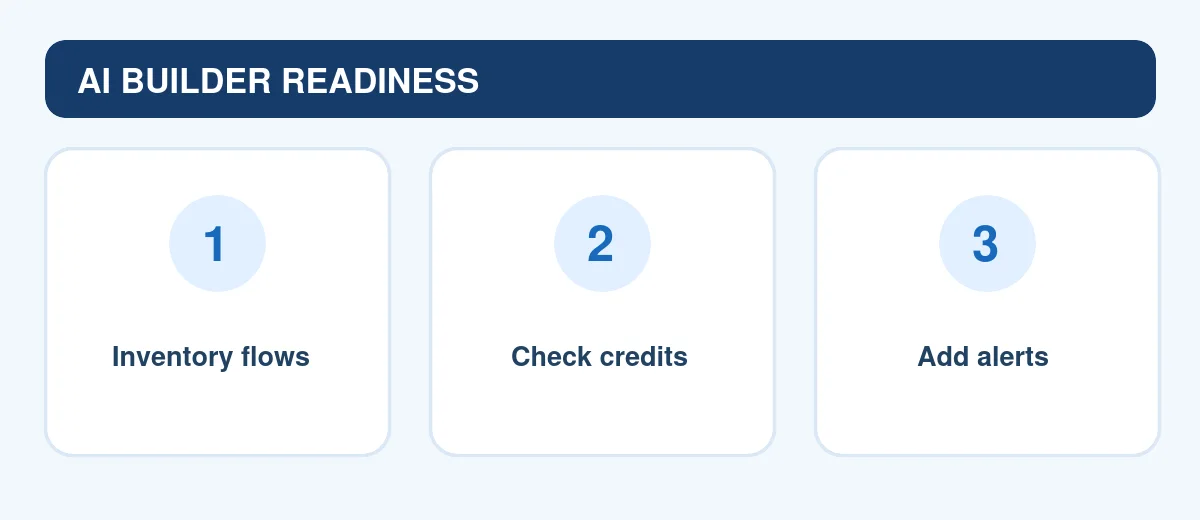
- Inventory AI usage. Microsoft says administrators can open the AI Builder Activity page in the Power Automate portal to see consumption in AI Builder credits or Copilot Credits. List every flow and app using AI Builder.
- Rank by importance. Mark which flows support customers, finance, or compliance, and which are experiments.
- Estimate consumption. Microsoft publishes billing rate tables showing how many credits each action consumes. Multiply by typical monthly runs for your important flows.
- Confirm funding. Work with your Microsoft administrator or licensing partner to confirm whether Copilot Credits or other capacity will cover those flows after November 2026.
- Add failure alerts. Configure notifications or a fallback branch so a failed AI step alerts a person instead of failing quietly.
Reduce credit use without losing value
- Filter before AI. Add conditions so the AI step only runs on items that need it, such as emails from customers rather than every message.
- Replace AI where rules work. If a simple keyword or lookup gives the right answer, use a standard action instead of a prompt.
- Retire experiments. Turn off test flows that still run AI steps on a schedule.
- Test in the prompt builder. Microsoft says testing prompts in the prompt builder is free, so refine prompts there before running them at scale.
A note on licensing details
Microsoft’s licensing pages describe premium-flow requirements and credit rules in more than one place, and some older pages use different wording. Licensing also depends on your tenant, agreements, and region. Treat this article as a checklist for questions to ask, and confirm the specifics for your organization with your administrator or Microsoft partner.
Worked example: invoice intake flow
A finance team runs a flow that extracts fields from supplier invoices with an AI Builder action, then creates a record for approval. To prepare, the admin checks the AI Builder Activity page and finds the flow runs about 800 times a month. Using Microsoft’s rate table for the document-processing action, she estimates monthly consumption, confirms capacity with the licensing partner, and adds a step that emails the finance lead whenever the AI action fails. The team also adds a filter so only PDF attachments from known supplier addresses are processed. ThriftBeam’s guide to evaluating AI tools can help structure the cost-versus-value review.
Keep human review in place
Credit planning is only part of a reliable AI workflow. AI extraction and text generation can still be wrong, so keep approval steps for payments, customer messages, and record changes, and review samples regularly. ThriftBeam’s fact-checking workflow and prompt injection guide cover the main risks for flows that read emails or documents.
Frequently asked questions
When do seeded AI Builder credit entitlements change?
Microsoft’s documentation states that from November 1, 2026, new or renewed eligible Power Platform and Dynamics 365 licenses no longer include seeded AI Builder credits; certain earlier contractual entitlements may remain available through their agreed term.
Do I pay for testing prompts?
Microsoft says testing a prompt in the prompt builder, or a model on the AI models page, is free.
Will my flows stop working?
Flows that use AI Builder actions need available credits to run those steps. Without AI Builder credits or Copilot Credits, the AI step can fail with a credits-consumed error.
The bottom line
The November 2026 phaseout of seeded AI Builder credits matters for any organization running AI steps in Power Automate. Inventory AI usage now, estimate consumption with Microsoft’s rate tables, confirm Copilot Credits or other capacity with your administrator, and add failure alerts so important processes do not stop silently.
Next step: Ask your Power Platform administrator for an export of AI Builder activity this week. For other automation ideas, browse the ThriftBeam AI Tools Finder.
Editorial disclosure: This article was prepared with AI assistance and checked against linked Microsoft Learn documentation on October 28, 2026. It is general information, not licensing advice; confirm details for your organization with Microsoft or your partner.
Sources and verification
Microsoft Learn — End of AI Builder credits: transition timeline and existing contract entitlements
- Microsoft Learn — AI Builder licensing and credits (seeded credits removal)
- Microsoft Learn — Copilot Credits management for AI Builder
- Microsoft Learn — AI Builder credit management
- Microsoft Learn — All AI Builder credits have been consumed (troubleshooting)